Top 7 Fixes: Why is my website not converting

Are you constantly asking yourself, “why is my website not converting?”
It is incredibly frustrating to see your traffic spike, only for your sales to stay completely flat.
Traffic without sales is just a vanity metric. If your business has a leaky bucket, pouring more ad money into it will not fix the underlying holes.
Usually, the ultimate culprit is user friction. Visitors bounce because your messaging is confusing, they don’t trust you yet, or the mobile checkout is a nightmare.
Let’s patch those leaks with proven, data-driven solutions.
Table of Contents
Core Reasons: Why Is My Website Not Converting
Here are seven highly effective fixes to help you turn those everyday clicks into actual revenue.
1. Clarify Your Value Proposition
Most websites fail the classic “five-second test.”
If a visitor cannot instantly figure out what you sell, they will hit the back button without hesitation.
Stop using clever industry jargon. Nobody wants an “innovative synergy solution.” They just want to know exactly how you can solve their specific problem.
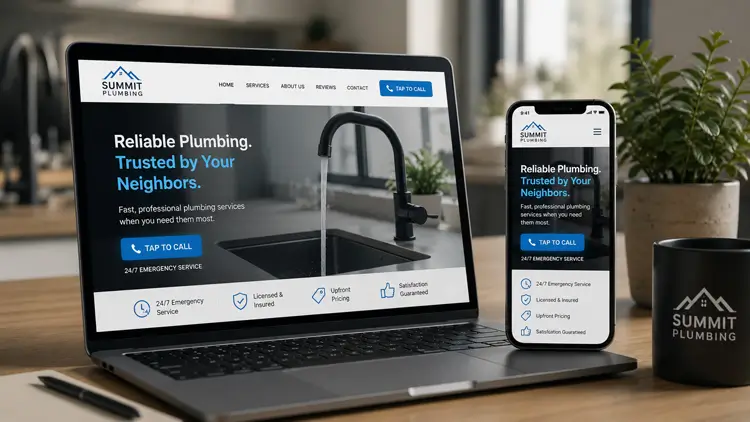
- The Fix: Make your hero headline a crystal-clear, benefit-driven statement. Add a short subheadline right below it to explain exactly how you deliver that benefit.

2. Strengthen Your Calls-to-Action (CTAs)
Generic buttons like “Submit” or “Click Here” kill conversions.
They lack context and offer zero perceived value to the user. A high-converting button finishes the sentence: “I want to…”
- The Fix: Change your button text to highlight the final outcome. Try “Get My Free Audit” or “Start My Trial.” Also, make sure the button color sharply contrasts with your background so it pops.
3. Add Trust Signals and Social Proof
Online buyers are naturally skeptical.
They will not hand over their credit card details if your website looks risky, outdated, or unverified. In fact, roughly 18% of users abandon their carts simply due to a lack of trust.
- The Fix: Place customer testimonials right next to your checkout or pricing tables. Prominently display secure checkout badges and recognizable client logos.
4. Optimize the Mobile Experience
Simply having a “responsive” design is no longer enough.
If you are scratching your head and asking, “why is my website not converting,” a clunky, shrunken desktop layout on a mobile screen is often the culprit. Mobile drives nearly 60% of all global web traffic. If your text is tiny, you are losing money.
- The Fix: Adopt a true mobile-first layout. Use much larger fonts, plenty of whitespace, and make sure all of your buttons are easily clickable with a thumb.

5. Speed Up Your Page Load Time
Slow websites absolutely destroy conversion rates.
Data shows that a site loading in just one second converts three times higher than a site that takes five seconds. Users expect instant gratification.
- The Fix: Compress your images to modern, lightweight formats like WebP. Use a Content Delivery Network (CDN) and delete any bloated plugins that are dragging down your server.
6. Reduce Form and Checkout Friction
Long, complicated forms naturally intimidate people.
Asking for a phone number when you only need an email address builds unnecessary resistance. Your conversion rate drops with every single input field you include.
- The Fix: Audit your lead forms today. If you are constantly staring at your screen wondering why is my website not converting, asking for too much information upfront is often the hidden cause. Keep only the fields you absolutely need to process the request. For e-commerce stores, always ensure you offer a fast, frictionless guest checkout option to maximize your overall sales.

7. Match Traffic Intent to Landing Pages
Sending paid ad traffic straight to your homepage is a massive mistake.
Homepages are packed with distractions, menus, and navigation links. When someone clicks a specific Google Ad, they expect a page tailored to that exact promise.
- The Fix: Build dedicated landing pages for every ad campaign. Ensure your landing page headline perfectly matches your ad copy word-for-word to maintain user trust.
Bonus: Stop Guessing, Track the Data
Stop relying on gut feelings or assumptions to fix your layout.
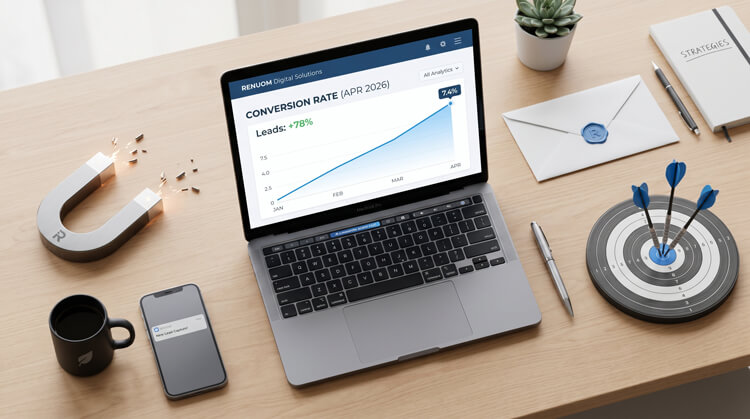
You need hard, visual data to truly understand user behavior.
- The Fix: Install visual tracking tools like Hotjar or Microsoft Clarity. Analyze your screen recordings to uncover hidden friction points, track scrolling behavior, and find out exactly why users are bouncing.
If you want to finally stop asking why is my website not converting, you must not let your hard-earned traffic go to waste. Implement these simple fixes today, monitor your data, and watch your sales climb.