10 Easy WordPress SEO Tips for Beginners (2026 Guide)

Looking for actionable WordPress SEO tips for beginners? You are exactly in the right place.
When searching for the best WordPress SEO tips for beginners, you will find that ranking effectively requires you to master three core pillars: your technical foundation, your site architecture, and the real-world user experience.
The best part? You do not need to know a single line of code to make this work. By tweaking a few default settings, choosing the right tools, and structuring your content clearly, you can easily compete with older, established websites.
Here is your complete, step-by-step blueprint to getting indexed, driving traffic, and applying the most effective WordPress SEO tips for beginners available today.
The Ultimate WordPress SEO Tips for Beginners Blueprint
Before we dive into the deep end, it is important to understand that SEO is a marathon, not a sprint. Implementing these WordPress SEO tips for beginners will set you up for long-term success. Let’s break this down into four actionable phases.
Phase 1: Core Foundation & Settings
Most new website owners get too excited and rush to publish blog posts before their site is technically allowed to rank. This phase covers the crucial “set it and forget it” rules that govern your entire website.
1. Check Your Site’s Visibility Settings
When developers build new websites, they often check a specific box in the background to hide the messy, half-finished site from Google. The problem? They frequently forget to uncheck it when the site goes live.
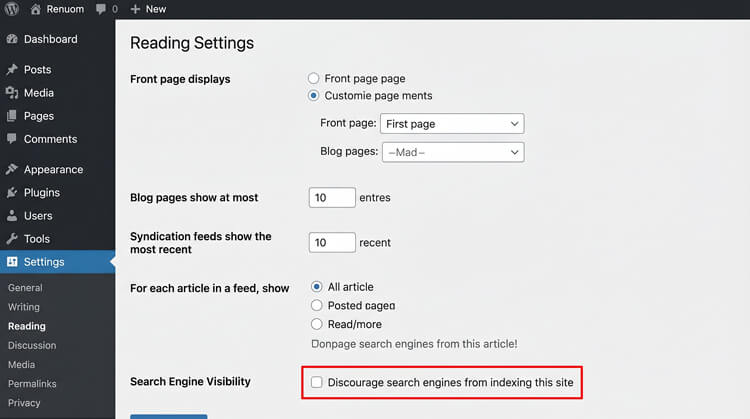
- The Fix: In your WordPress dashboard, navigate to Settings > Reading. Scroll down to “Search engine visibility” and make absolutely sure the box labeled “Discourage search engines from indexing this site” is unchecked.
- Why it matters: If this box remains checked, no other WordPress SEO tips for beginners will save you. Google will simply ignore your site entirely.
2. Set Up SEO-Friendly Permalinks
By default, WordPress sometimes creates messy, confusing URLs that look like this: yoursite.com/?p=1045. Fixing this is vital among WordPress SEO tips for beginners because ugly URLs provide zero context about what is actually on the page.
- The Fix: Go to Settings > Permalinks and select the Post name option. Your URLs will instantly change to a clean, readable format like yoursite.com/my-first-post/.
- Expert Angle: Always keep your URLs short, punchy, and evergreen. If you write an article about the “Best Laptops in 2026,” make the URL simply /best-laptops/. That way, when you update the post next year, the URL remains accurate and you do not lose your established ranking power.
3. Secure Your Site with HTTPS
A secure site is no longer a luxury; it is a foundational step in any list of WordPress SEO tips for beginners. According to Google’s Transparency Report, over 86% of web traffic is now encrypted via HTTPS.
- The Fix: Ensure your web host provides a free SSL certificate (Let’s Encrypt is the industry standard).
- Why it matters: Users will instantly bounce off an unsecured page, which signals to Google that your site is untrustworthy. Securing your site gives you a padlock icon, encrypts user data, and provides an immediate, lightweight ranking boost.
Phase 2: Architecture & Plugins
Search engine crawlers need a clean, organized roadmap so they can understand exactly what your website is about. This phase of our WordPress SEO tips for beginners focuses on giving them that map.
4. Install a Lightweight SEO Plugin
Out of the box, WordPress does not come with built-in controls for your metadata (the titles and descriptions that show up on the Google search results page). You need a plugin to act as a translator between your content and the search engines. Tools like RankMath, Yoast, or All in One SEO (AIOSEO) are excellent options for implementing WordPress SEO tips for beginners.
- Expert Angle: Avoid the “Green Light Trap.” Many people looking for WordPress SEO tips for beginners obsess over getting a perfect 100/100 score or a green light on these plugins. These tools use basic algorithms to check keyword density. A green light does not guarantee a number-one ranking! Treat the plugin as a baseline checklist to ensure your formatting is clean, nothing more.
5. Create and Submit an XML Sitemap
An XML sitemap is literally a map of your website written in a language bots understand. Generating one is crucial for executing these WordPress SEO tips for beginners properly.
- The Fix: Your SEO plugin (like RankMath) will automatically generate this file. It is usually located at yoursite.com/sitemap_index.xml.
- Next Step: Do not just cross your fingers and assume Google will find it. Set up a free Google Search Console account and manually submit your sitemap URL. This forces Google’s crawlers to index your site much faster than waiting for them to find it naturally.
Phase 3: Structuring Your Content
This is where technical SEO meets the human reader’s experience. Search engines favor content that is highly organized, which is exactly where these WordPress SEO tips for beginners truly shine.
6. Utilize Proper Heading Tags (H1, H2, H3)
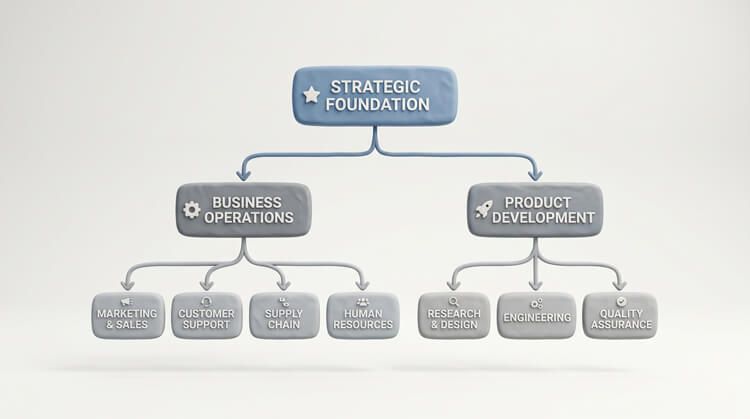
Search engine bots read your website exactly like a textbook. They rely on heading tags to understand the hierarchy and flow of your information. One of the most vital WordPress SEO tips for beginners is learning how to stack these correctly.
- H1 Tag: This is the title of the book. There should strictly be only one H1 tag per page.
- H2 Tags: These act as your chapter titles.
- H3 Tags: These are the sub-sections within those specific chapters.
- Expert Angle: Breaking up giant, intimidating walls of text with nested H2s and H3s drastically improves readability. Formatting your H2s as direct questions—and answering them immediately below in a short paragraph—makes you highly eligible to win Google’s “Featured Snippets” (that coveted answer box at the very top of the search results).
7. Use Categories and Tags Properly
Categories and tags are meant to organize your blog, but beginners often misuse them, creating a massive, confusing mess known in the industry as “tag bloat.”
- Categories: These are your broad filing cabinets (e.g., “Web Design,” “SEO Basics”). You should only have 5 to 10 of these total.
- Tags: These are the specific, hyper-focused index keywords (e.g., “Image Compression,” “Meta Titles”).
- The Danger: Do not create a brand new, unique tag for every single post. WordPress generates a dedicated, separate archive page for every tag you create. If you have 100 tags with only one post each, you just created 100 “thin,” low-value pages that will severely drag down your site’s overall SEO quality score.
8. Master Internal Linking
Internal links are simply hyperlinks that point from one page on your website to another page on your website. This is one of the most underrated WordPress SEO tips for beginners you can leverage.
- The Logic: When you link a new post back to an older, relevant post, you achieve two massive wins. First, you pass SEO authority (or “link juice”) between the pages. Second, you keep the user clicking around your website. This increases their “Dwell Time” (how long they stay on your site), which sends a massive signal to search algorithms that your website is genuinely helpful and engaging.
Phase 4: On-Page Optimization & Quality (2026 Standards)
In the modern web landscape, getting traffic requires blazing-fast speeds and content that satisfies both traditional search algorithms and artificial intelligence. If you only take away two WordPress SEO tips for beginners today, let it be these next two.
9. Optimize for Core Web Vitals & Image Speed
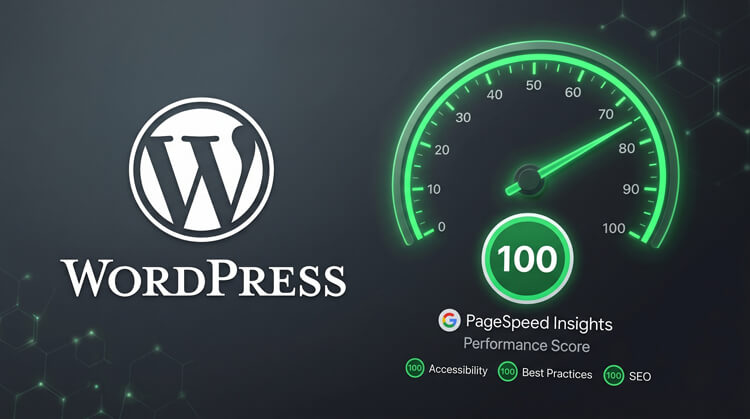
Google officially uses “Core Web Vitals” to measure real-world user experience. If your site is slow, clunky, or frustrating to tap on, you will be outranked by a faster competitor, even if your content is technically better. You must pass three primary metrics:
- Largest Contentful Paint (LCP): Measures loading speed. The main, hero content of your page must load in under 2.5 seconds.
- Cumulative Layout Shift (CLS): Measures visual stability. Elements on your page (like text and buttons) should not jump around as ads or images load. You must maintain a score under 0.1.
- Interaction to Next Paint (INP): Measures responsiveness. When a user taps a menu or clicks a link, the site must react visually in under 200 milliseconds.
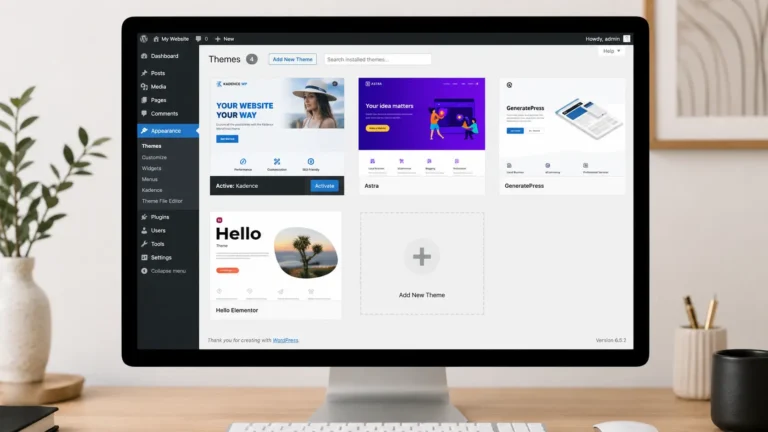
- Expert Angle: The easiest way to fail these metrics is by using heavy, bloated page builders and uploading massive, uncompressed images. Skip the legacy builders. Stick to modern, native block solutions (like the Kadence theme). Furthermore, always serve your images in next-gen formats (like WebP) and ruthlessly keep their file sizes under 150KB.

10. Write for GEO (Generative Engine Optimization)
Search has evolved drastically. Users are no longer just Googling; they are asking AI engines like ChatGPT, Claude, and Perplexity for direct, immediate answers. To succeed today, implementing GEO (Generative Engine Optimization) is paramount among modern WordPress SEO tips for beginners.
- The Strategy: AI models prioritize factual accuracy, clear structure, and high authority. To rank as a cited source in these AI summaries, your content must be highly specific. Cut out the long, rambling, recipe-blog-style introductions. Answer the user’s intent immediately in the very first paragraph.
- The Format: Use bolded text, bulleted lists, realistic and minimal custom graphics, and data-backed statements. When an AI crawler scans your page, it should instantly recognize your site structure as the most direct, authoritative answer on the internet.
Bonus Tip: Track Your Success
SEO is a marathon, and you absolutely cannot improve what you do not measure.
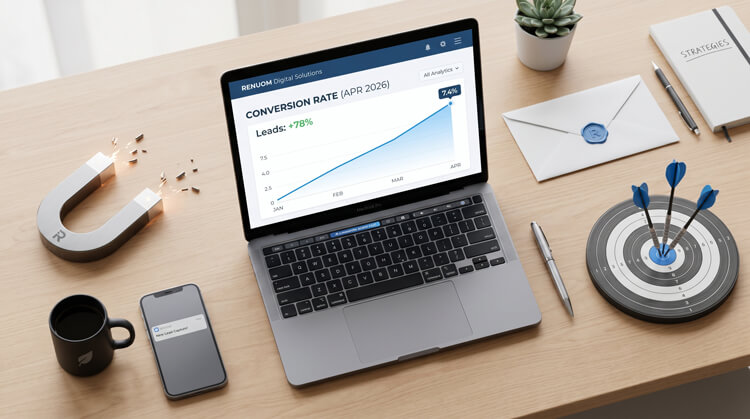
Once you have implemented these essential WordPress SEO tips for beginners, immediately connect your site to Google Search Console and Google Analytics.
- Google Search Console will show you exactly which keywords people are typing in to find your site, how high you rank for them, and alert you to any critical indexing errors.
- Google Analytics will show you how those users behave once they actually arrive on your site (which pages they love, and where they drop off).
Let the data guide your next move. Stay consistent with your publishing schedule, keep refining your technical foundation, and the traffic will inevitably follow. Master these WordPress SEO tips for beginners, and you will have a site that dominates the rankings for years to come.r—it’s a tool to be leveraged.