5 Cheap WordPress Hosting for Beginners

Finding the best wordpress hosting for beginners doesn’t have to be a headache. The top budget-friendly options in 2026 are Hostinger, Bluehost, SiteGround, DreamHost, and IONOS.
Starting a website is exciting, but dodging those “too good to be true” $1/month marketing traps can feel overwhelming. When evaluating WordPress hosting for beginners, you want a reliable foundation without breaking the bank, and you certainly don’t want to be blindsided by massive renewal fees later.
More importantly, web search has changed. Fast server response times aren’t just for passing Google’s Core Web Vitals anymore. They are essential for Generative Engine Optimization (GEO). If you want your content to show up on AI tools like ChatGPT, Perplexity, or Claude, your site needs to load instantly without timing out.
Let’s cut through the affiliate fluff. Here is a realistic look at the top five budget hosts based on actual speed, hidden costs, and everyday ease of use.
Table of Contents
- What Matters Most in WordPress Hosting for Beginners?
- Hostinger: Best Value & Performance
- Bluehost: The Traditional First Step
- SiteGround: The Premium-Budget Crossover
- DreamHost: Transparent Pricing
- IONOS: The Extreme Budget Option
- The Modern Tech Stack Stress Test
- Quick Decision Matrix
- Next Steps
What Matters Most in WordPress Hosting for Beginners?
When shopping for entry-level hosting, it’s easy to get distracted by flashy freebies. Here is what actually moves the needle:
- The “First-Term Trap”: Most $2.99/month deals require a 4-year upfront commitment. When that ends, your renewal rate could easily jump to $15/month. Always check the renewal price before checking out.
- Essential Freebies: Ignore the “free Google Ads credits.” You want things that actually save you money: a free SSL certificate (mandatory for security), automatic daily backups, and a free domain for the first year.
- Modern Architecture: Look for hosts using NVMe storage and LiteSpeed servers. Old-school spinning hard drives will kill your page speed and ruin your chances of ranking.
1. Hostinger: Best Value & Performance
Hostinger dominates the budget category for cheap WordPress hosting for beginners for a simple reason: they offer premium speed at an entry-level price (often under $3/month).
- The Tech: They use high-performance LiteSpeed servers, which handle traffic spikes far better than traditional Apache servers.
- Ease of Use: They ditched the clunky, old-school cPanel for their own custom “hPanel.” It’s incredibly intuitive and comes with AI setup tools.
- The Verdict: The absolute best pick if you want a fast, modern site on a tight budget.
2. Bluehost: The Traditional First Step
Bluehost is arguably the most famous name in WordPress hosting for beginners globally and usually starts around $3.79/month.
- The Tech: Their biggest selling point isn’t raw speed—it’s their onboarding wizard. They walk you through every single step of the setup.
- Ease of Use: They are officially recommended by WordPress.org and offer fantastic 24/7 phone support.
- The Verdict: The safest choice if you are terrified of the technical side and want reliable, accessible customer service.
3. SiteGround: The Premium-Budget Crossover
SiteGround is slightly pricier but bridges the gap between basic WordPress hosting for beginners and managed premium hosting.
- The Tech: Built on the Google Cloud platform, offering proprietary caching and a free native CDN (Content Delivery Network) for lightning-fast global load times.
- Ease of Use: Excellent automated daily backups and top-tier security protocols.
- The Verdict: Perfect if you anticipate rapid growth or want premium support, but be prepared for steeper renewal rates down the line.
4. DreamHost: Transparent Pricing
DreamHost is a breath of fresh air in an industry known for hidden fees. When searching for cheap WordPress hosting for beginners, this platform lets you grab a plan for around $2.89/month without the stress.
- The Tech: A solid 100% uptime guarantee and a huge focus on data privacy (including free domain privacy protection).
- Ease of Use: They offer true month-to-month billing options without aggressively locking you into multi-year contracts.
- The Verdict: The go-to option if you hate long-term contracts and value straightforward, predictable billing.
5. IONOS: The Extreme Budget Option
If your budget is practically non-existent, IONOS frequently runs promotional deals for WordPress hosting for beginners at just $1.00/month for your first year.
- The Tech: It covers the bare minimums beautifully: a free domain, SSL, and one-click WordPress installs.
- Ease of Use: You get a dedicated personal consultant. Instead of a random call center, you speak to the same assigned agent when you need help.
- The Verdict: Ideal for testing a quick idea, launching a temporary project, or keeping initial costs as close to zero as possible.
The Modern Tech Stack Stress Test

Even the best cheap WordPress hosting for beginners is useless if it chokes on modern web design tools. The days of bloated, all-in-one themes are fading. Today, getting a clean, realistic, and minimal design requires a streamlined block environment.
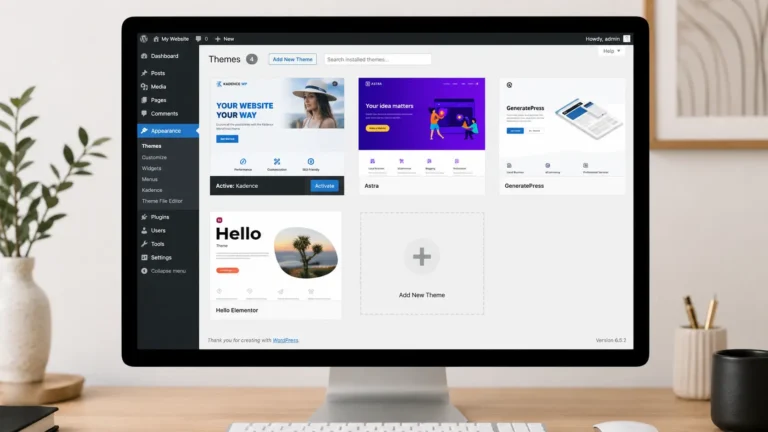
Your server needs enough backend processing power (specifically high PHP memory limits) to handle modern workflows smoothly. For instance, if you are building out pages using the Kadence Theme paired with Kadence Blocks Pro, your hosting shouldn’t lag every time you update a block.
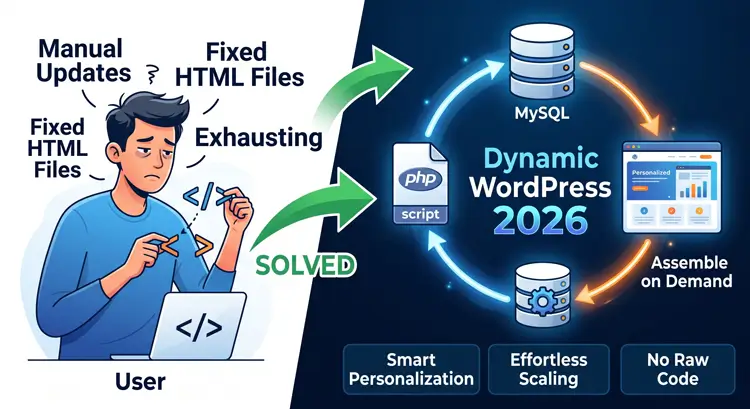
Furthermore, as your site grows, you might transition from basic static pages to building dynamic layouts. If you use advanced plugins like JetEngine to handle custom post types or dynamic content loops, the database workload increases heavily. Budget hosts running outdated MySQL versions will struggle to serve those dynamic pages, causing AI crawlers and search engines to time out.
For running a modern, block-based stack efficiently, Hostinger and SiteGround currently offer the most robust backend power for the price.
Quick Decision Matrix
Still stuck? Choose your host based on your specific personality and needs:
- Terrified of tech? $\rightarrow$ Go with Bluehost (great hand-holding).
- Obsessed with speed? $\rightarrow$ Go with Hostinger (LiteSpeed servers).
- Hate hidden fees? $\rightarrow$ Go with DreamHost (transparent pricing).
- Expecting fast growth? $\rightarrow$ Go with SiteGround (Google Cloud tech).
- Only have a few dollars? $\rightarrow$ Go with IONOS ($1 entry deals).
Next Steps

Choosing your wordpress hosting for beginners sets the technical stage for everything you build moving forward. Make sure you factor in the 3-year renewal costs and prioritize server speed.
Once you check out, follow this quick launch checklist:
- Force HTTPS: Activate your free SSL certificate immediately.
- Clean Your URLs: Go to WordPress settings and change permalinks to “Post Name.”
- Keep It Light: Install a fast, block-based theme to ensure your Core Web Vitals start solidly in the green.