8 Common WordPress Security Mistakes (And How to Fix Them in 2026)
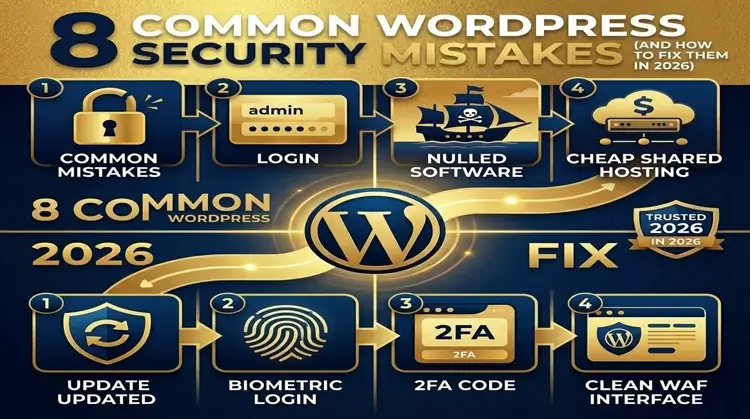
The Short Answer: In 2026, the most common WordPress security mistakes are skipping software updates (core, themes, plugins), using weak credentials like the “admin” username, failing to turn on Two-Factor Authentication (2FA), hoarding unused or pirated plugins, giving everyone Administrator access, using dirt-cheap shared hosting, running without a Web Application Firewall (WAF), and storing backups on the same server as the live website. Hackers don’t attack the WordPress core directly anymore; they use automated bots to exploit these exact human errors.
Introduction: Why Basic Oversights Are Your Biggest Threat in 2026
Let’s be honest: website maintenance is annoying. You just want to run your business, not babysit plugin updates and firewall logs. It’s incredibly tempting to set up your WordPress site once and completely forget about it.
But here is the reality check for 2026: human error is your biggest liability. Having built and maintained corporate WordPress websites for years, I’ve seen firsthand how a single overlooked setting can bring down a thriving business.
WordPress itself is remarkably secure out of the box. Hackers aren’t sitting in a dark room manually typing code to break into your specific blog. Instead, they deploy massive, AI-driven botnets that scan millions of websites a day, looking for easy targets. Industry data showsthat a typical WordPress site gets hit with an automated attack attempt every 32 minutes.
The good news? You don’t need advanced tech skills to prevent these attacks. By fixing the eight WordPress security mistakes below, you can block 99% of the threats out there.
1. Ignoring Updates for Core, Themes, and Plugins
The Mistake: Leaving that red update notification badge sitting on your dashboard for months because you’re afraid an update will break your site.
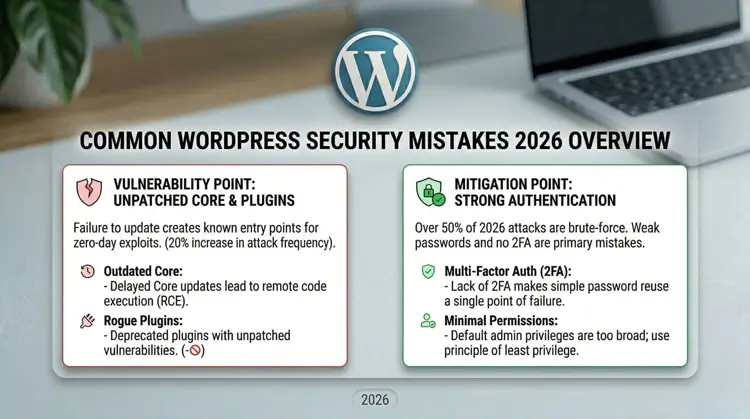
Why It Happens (And Why It’s Bad): When a developer pushes an update, it’s rarely just for fun new features. They are usually patching a newly discovered security flaw. Once that patch goes live, the vulnerability becomes public knowledge. If you don’t update, you are basically handing hackers a map of your site’s weak spots. In fact, ignoring updates is one of the most dangerous WordPress security mistakes you can make. Vulnerabilities in third-party plugins constitute upwards of 90% of all documented WordPress security risks.
The Fix for 2026:
- Turn on auto-updates for plugins you know and trust.
- Set a weekly calendar alarm to log in, back up your site, and manually update the rest.
If you want a streamlined workflow, check out my comprehensive guide on setting up essential security plugins and maintenance routines.
2. Using Weak Passwords and the “Admin” Username
The Mistake: Keeping the default “admin” username or using a password that a toddler could guess (like your company name or “password123”).
Why It Happens (And Why It’s Bad): Botnets run relentless “brute-force” attacks, rapidly testing thousands of common username and password combinations against your login page. This is why brute force attack prevention is crucial. If your username is “admin,” you’ve already done half the hacker’s job for them. Today’s computers can crack an 8-character password in a matter of minutes.
The Fix for 2026:
- Create a new Administrator account with a unique name, log into it, and delete the original “admin” account immediately to fix this common WordPress security mistakes.
- Use a password manager to generate and store passwords that are at least 16 characters long.
3. Failing to Enable Two-Factor Authentication (2FA)
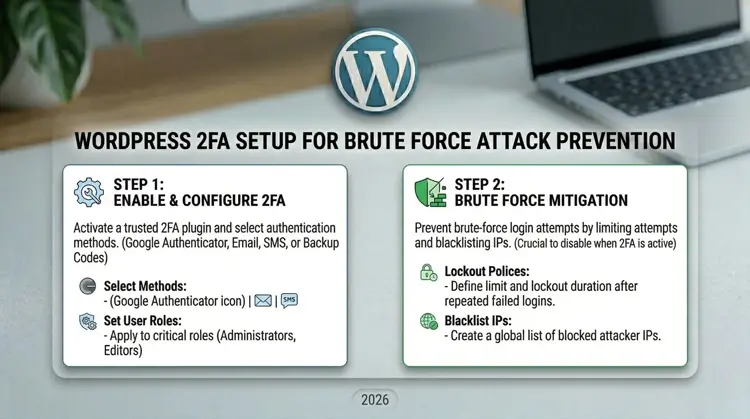
The Mistake: Assuming a long, complicated password is the only defense you need.
Why It Happens (And Why It’s Bad): People reuse passwords. If you use the same password for your WordPress site as you do for a random forum, and that forum gets hacked, your credentials will be leaked online. Without 2FA, a hacker with your leaked password can walk right through your site’s front door, capitalizing on this glaring WordPress security mistakes.
The Fix for 2026:
- Install a reputable 2FA plugin.
- Force all users with publishing or admin rights to use an authenticator app (like Google Authenticator or Authy) to log in. No code, no entry.
4. Hoarding Unused or “Nulled” Plugins
The Mistake: Leaving deactivated plugins on your site “just in case,” or downloading pirated (nulled) premium plugins from shady forums to save a few bucks.
Why It Happens (And Why It’s Bad): Deactivating a plugin does not delete it. The files are still sitting on your server. If a hacker finds a flaw in that old code, they can still use it to break in. As for pirated plugins? They are never truly free. They are almost always packed with hidden malware or backdoors leading to an expensive malware removal process down the line.
The Fix for 2026:
- Adopt a “delete, don’t deactivate” rule to avoid this WordPress security mistakes. If you aren’t actively using a plugin, trash it.
- Always pay for premium plugins directly from the official developer.
5. Overly Permissive User Roles
The Mistake: Handing out Administrator accounts to everyone—freelancers, guest writers, SEO agencies, and interns.
Why It Happens (And Why It’s Bad): An Administrator can do anything: change code, delete users, or completely wipe the site. If you give admin access to a freelance writer and their account gets hacked, the hacker now owns your entire website. Handing out admin roles freely is a classic WordPress security mistakes that is easily avoidable.
The Fix for 2026:
- Use the Principle of Least Privilege. Only give people the exact access they need to do their job.
- Assign the “Author” or “Contributor” role to writers, and reserve the Administrator role for yourself and your lead developer.
6. Choosing Cheap, Unmanaged Hosting
The Mistake: Running a professional business website on a $2-a-month shared hosting plan.
Why It Happens (And Why It’s Bad): Cheap hosting crams thousands of websites onto a single, poorly secured server. If another website on your server gets infected with malware, it can easily spread to yours. This is called “cross-site contamination.” Falling for this WordPress security mistakes means you can get hacked even if your on-site defenses are perfect.
The Fix for 2026:
- Upgrade to secure WordPress hosting. You get strict server isolation, built-in firewalls, daily backups, and a support team that actually knows WordPress.
Remember, good hosting doesn’t just block malware; it drastically improves your load times. You can read more about how performance ties into infrastructure in my guide on WordPress speed optimization and theme selection.
7. Operating Without a Web Application Firewall (WAF)
The Mistake: Assuming WordPress is safe enough on its own and leaving your site entirely exposed to the open internet.
Why It Happens (And Why It’s Bad): Without a firewall, malicious traffic hits your server directly. Bots will chew through your bandwidth and constantly probe for weak spots. If they get in, you likely won’t even realize you’ve been hacked until Google flags your site as dangerous and tanks your search rankings. Running a site without a firewall is a critical WordPress security mistakes today.
The Fix for 2026:
- Put a bouncer at the door. Use a WAF (like Cloudflare or Wordfence) to automatically block bad bots and exploit attempts before they ever touch your site.
8. Relying on Local Backups (A Fatal WordPress Security Mistakes)
The Mistake: Using a backup plugin that saves your backup files in the exact same server folder as your live website, or never actually testing if your backups work.
Why It Happens (And Why It’s Bad): A backup stored on the same server as your website is completely useless. If your server gets wiped out by a hacker, hit with ransomware, or suffers hardware failure, your backups are destroyed right alongside your site.
The Fix for 2026:
- Automate off-site backups. Push your daily backups to a secure, separate cloud drive like Amazon S3, Google Drive, or Dropbox.
- Test your backups. A backup is only good if you can actually restore it. Try restoring your site to a staging environment once a quarter.
The Bottom Line for Site Owners
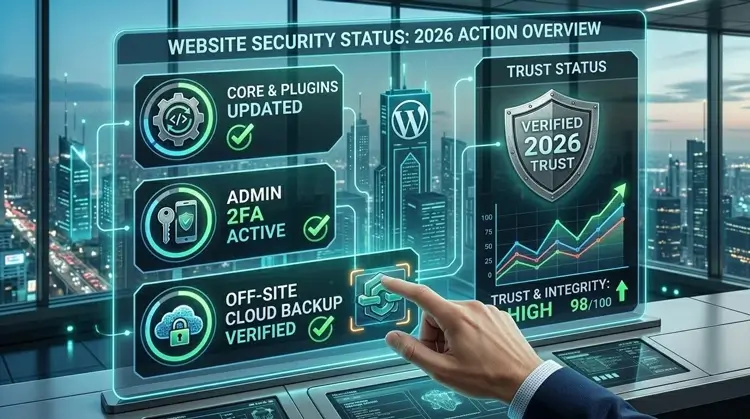
Avoiding these common WordPress security mistakes in 2026 isn’t about outsmarting master hackers; it’s about making your site too annoying for automated bots to bother with. Good security is simply good digital hygiene.
Your next step: Take 15 minutes today to audit your site. Delete the plugins you aren’t using, force your team to set up 2FA, and double-check that your backups are safely stored off-site. A little proactive work today will save you a massive headache tomorrow.